Streamlit app
Generate Sources
Automatically generate dbt sources, staging models and project configuration from Snowflake — via a local app with a graphical interface.
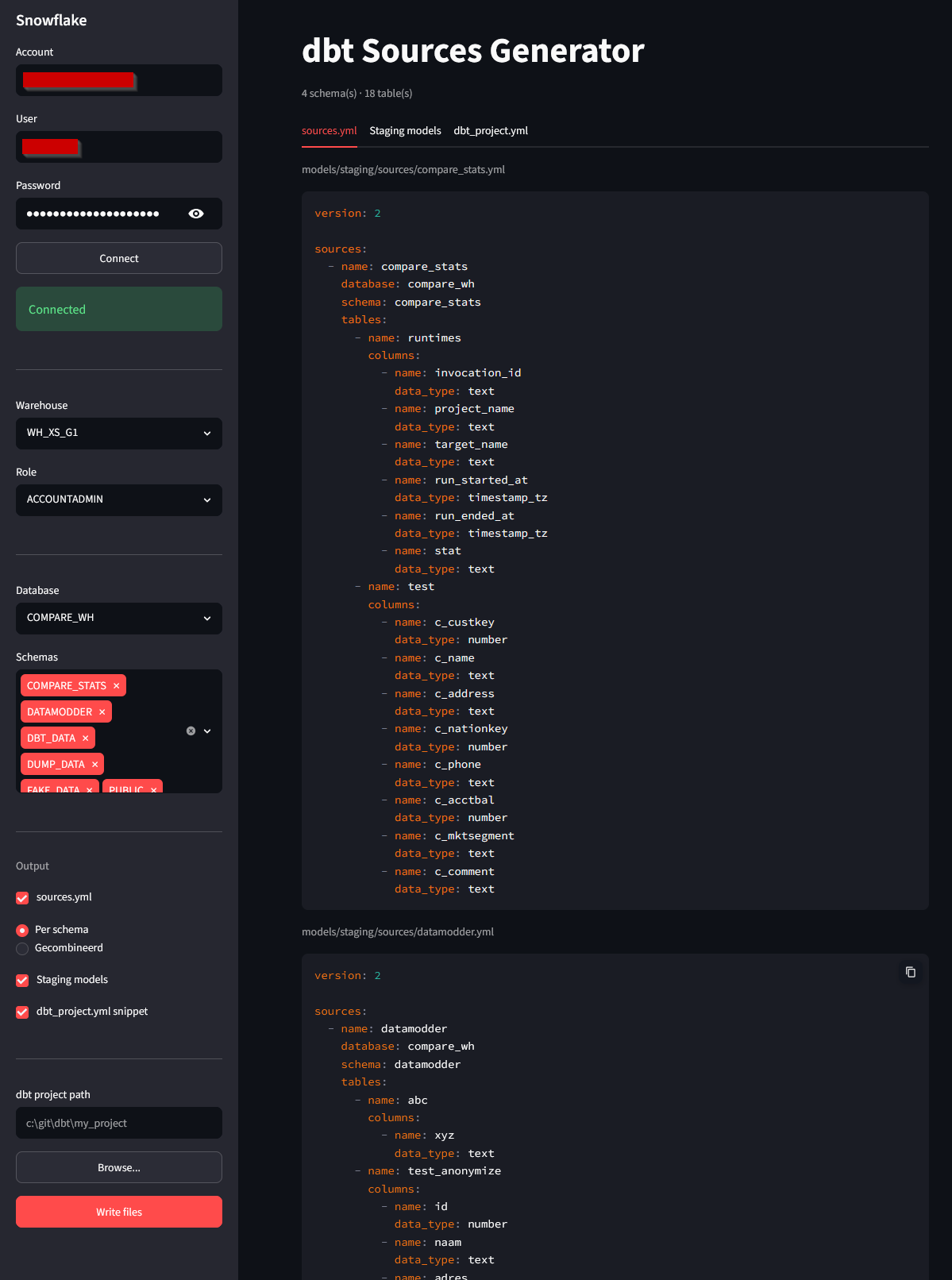
Goal
The generate_sources dbt macro works fine in the terminal, but this Streamlit app makes the process visual: you choose your database and schemas via dropdowns, see the generated code directly with syntax highlighting, and write the files to your dbt project with a single click.
Useful when onboarding new data sources where you want to quickly set up a working staging layer without writing YAML or SQL manually.
Features
Snowflake connection
Store your account credentials and password locally via keyring. The app remembers your previous settings so you don't have to log in again each time.
Database & schema selection
Select a database and filter by one or more schemas. The app retrieves table and column metadata via the Snowflake information schema.
Generated output
View the generated files per tab with syntax highlighting before writing them. Choose between one combined sources.yml or a separate file per schema.
Write files
The app writes the generated files directly to your dbt project folder under models/staging/ — including the correct directory structure.
Generated files
| File | Content |
|---|---|
| sources.yml | Source definitions with column metadata, per schema or combined. |
| stg_*.sql | Staging models with select * from source() per table. |
| dbt_project.yml snippet | Configuration block for the models section, organised per schema. |
Usage
1. Install requirements
pip install -r streamlit/generate_sources/requirements.txt
2. Start the app
streamlit run streamlit/generate_sources/app.py
3. Connect to Snowflake
Fill in your Snowflake account credentials in the sidebar. The app stores these locally via keyring so you don't have to enter them again next time.
4. Generate and write
Select a database and schemas, view the generated code per tab, and click write. The files are created directly in the specified dbt project folder.